
How to Place an Order on the Dalton Audio Website
Shopping for your favorite Dalton Audio karaoke speaker online is simple and convenient. Whether you are ordering a portable karaoke speaker, a party speaker, or a special promotional combo, you can complete your purchase directly on the Dalton Audio website in just a few steps.
Below is a step-by-step guide to help you place an order smoothly.
Step 1: Choose the Product You Want to Buy
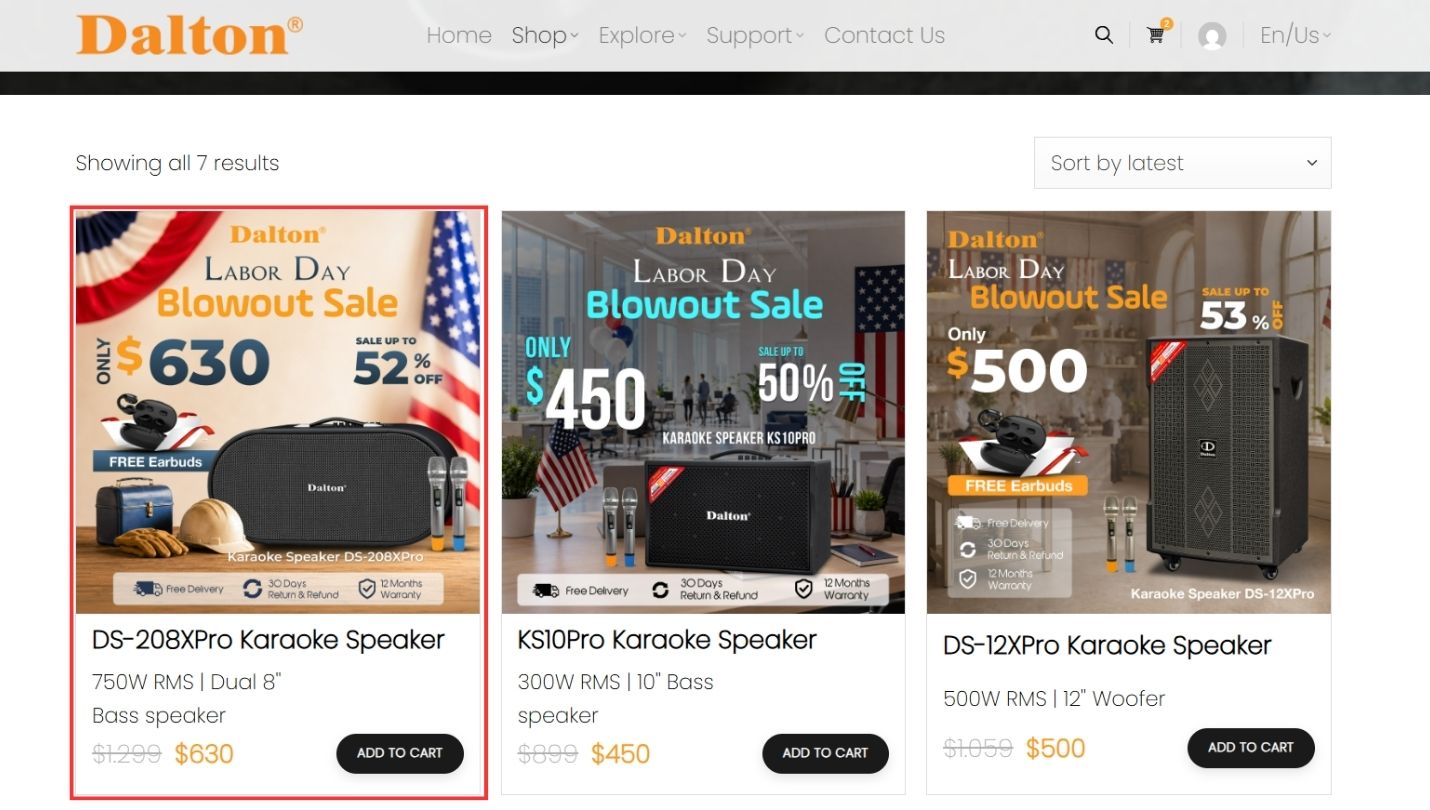
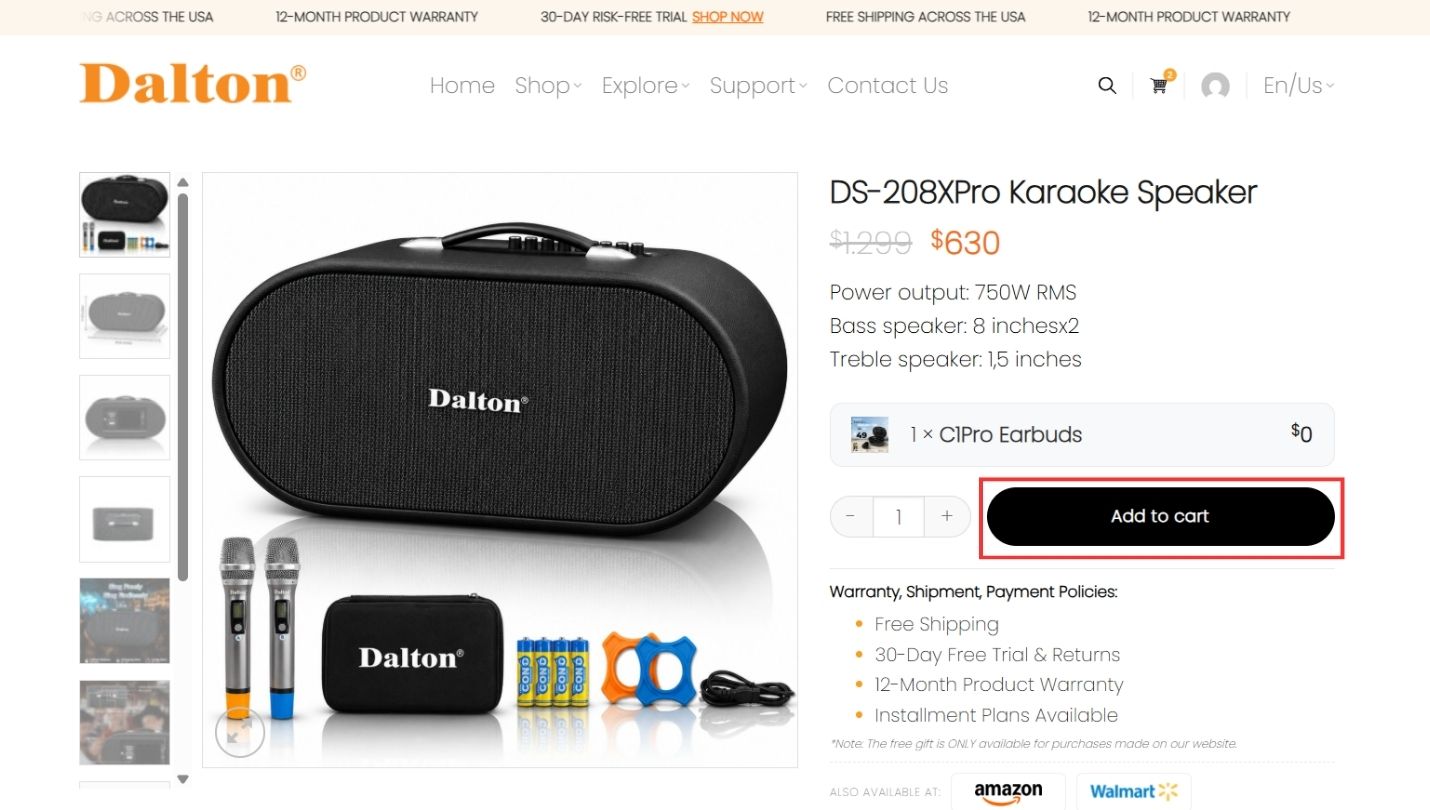
Step 2: Click “Add to Cart”
Once you are ready to purchase, select the quantity you want and click the “Add to Cart” button.
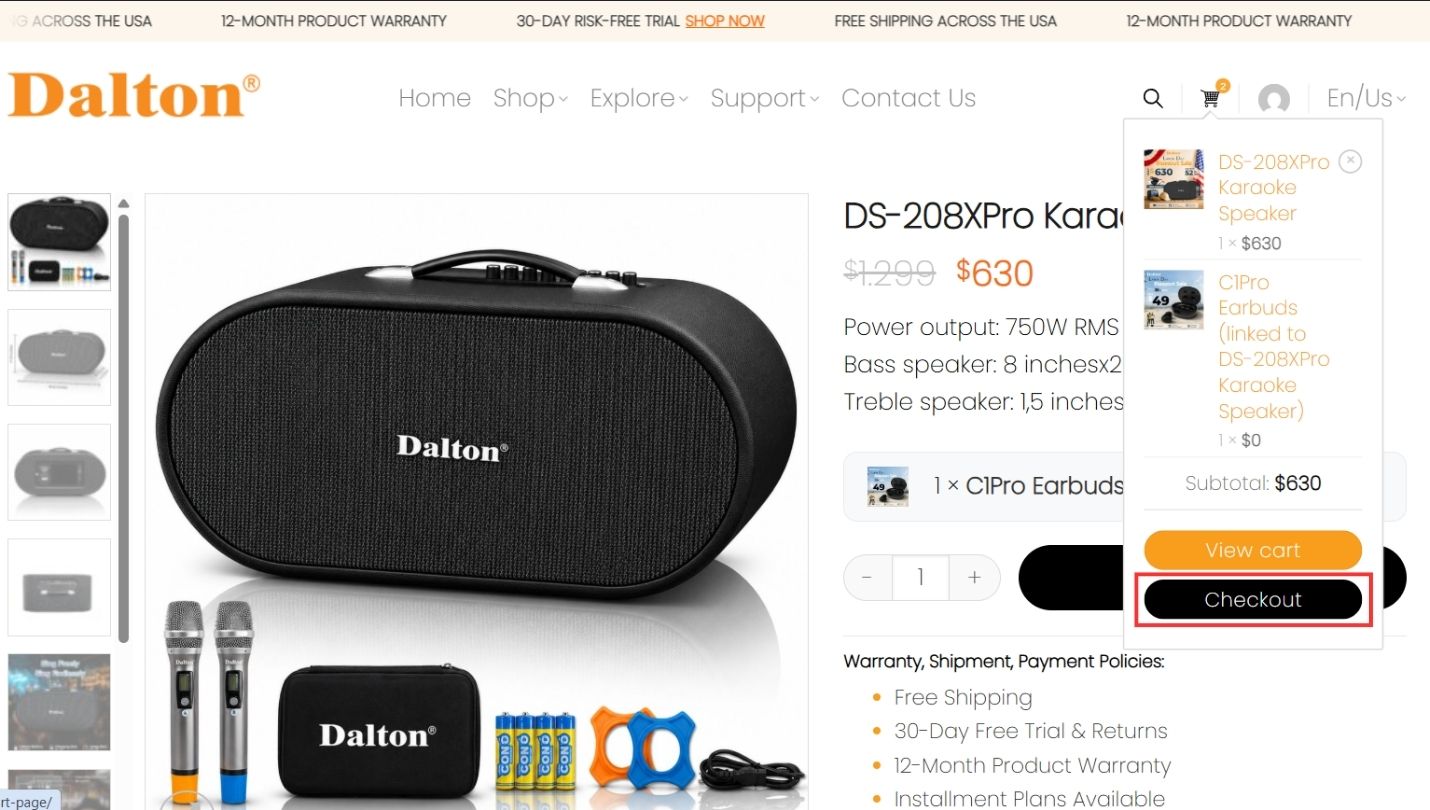
Step 3: Go to Checkout
After adding the product to your cart, you can click “Checkout” to continue.
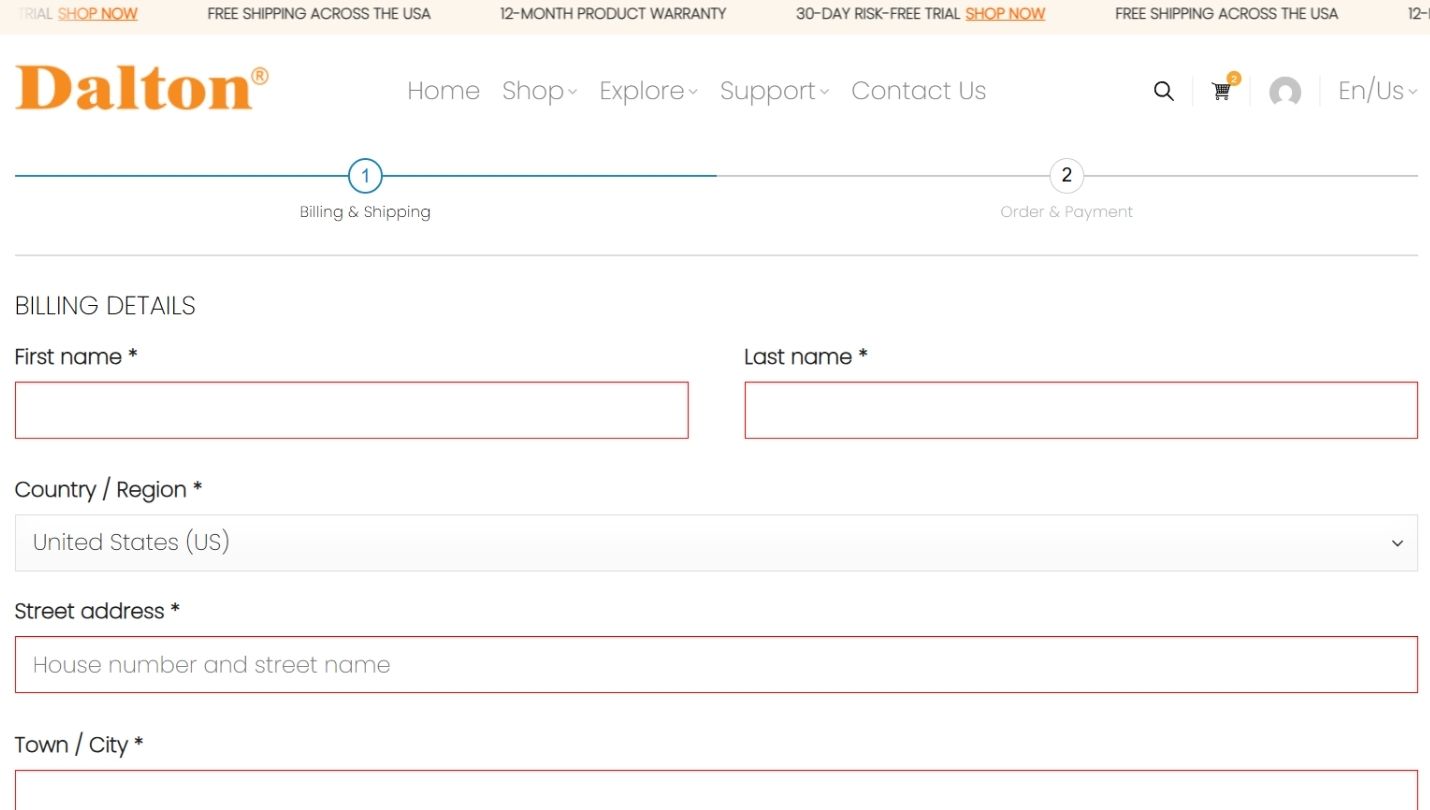
Step 4: Enter Your Billing and Shipping Information
On the checkout page, fill in your billing and shipping details carefully. You will need to provide information such as:
– First name
– Last name
– Country or region
– Street address
– Town or city
– State
– ZIP code
– Phone number
– Email address
Step 5: Apply a Coupon Code, If You Have One
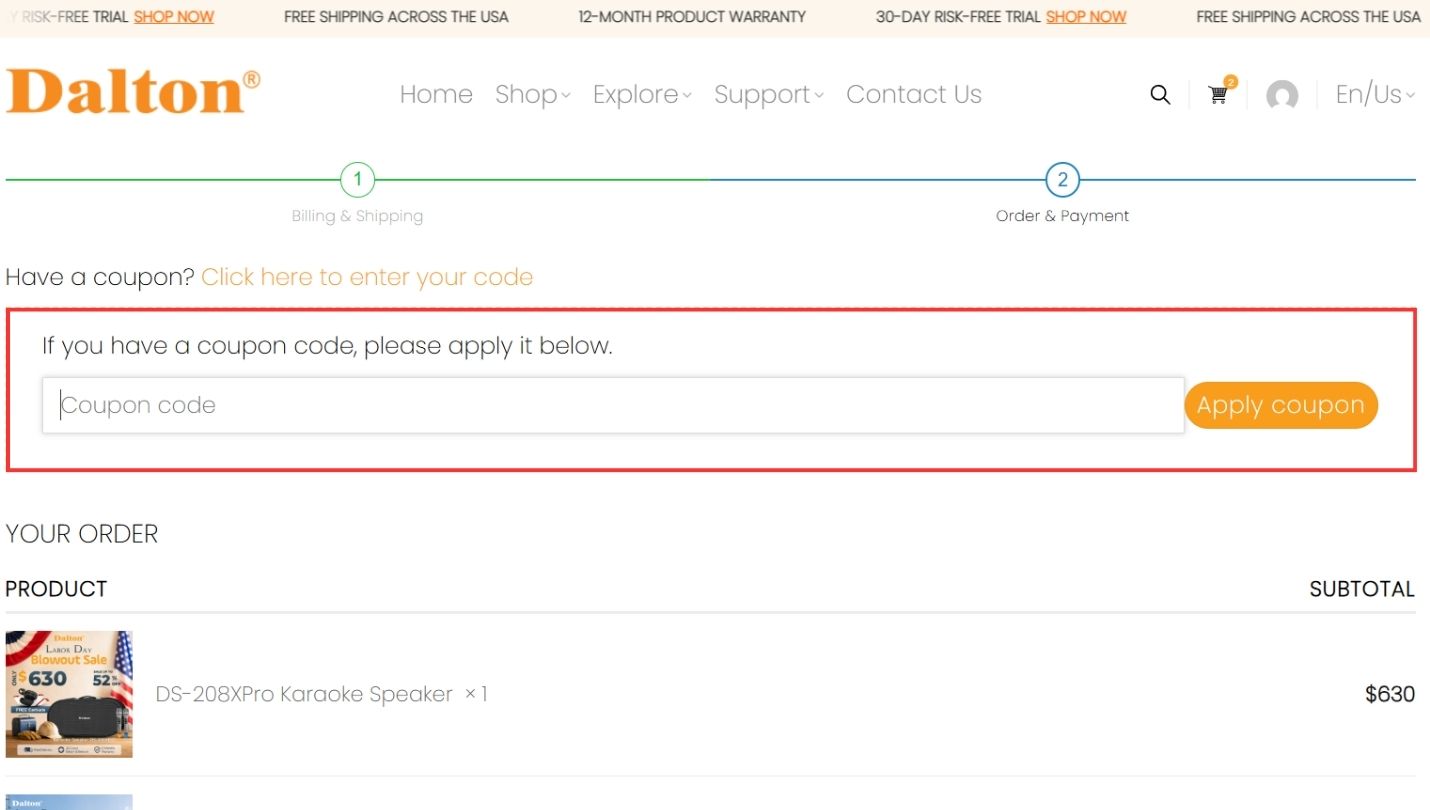
If you have a coupon code, click “Click here to enter your code.”
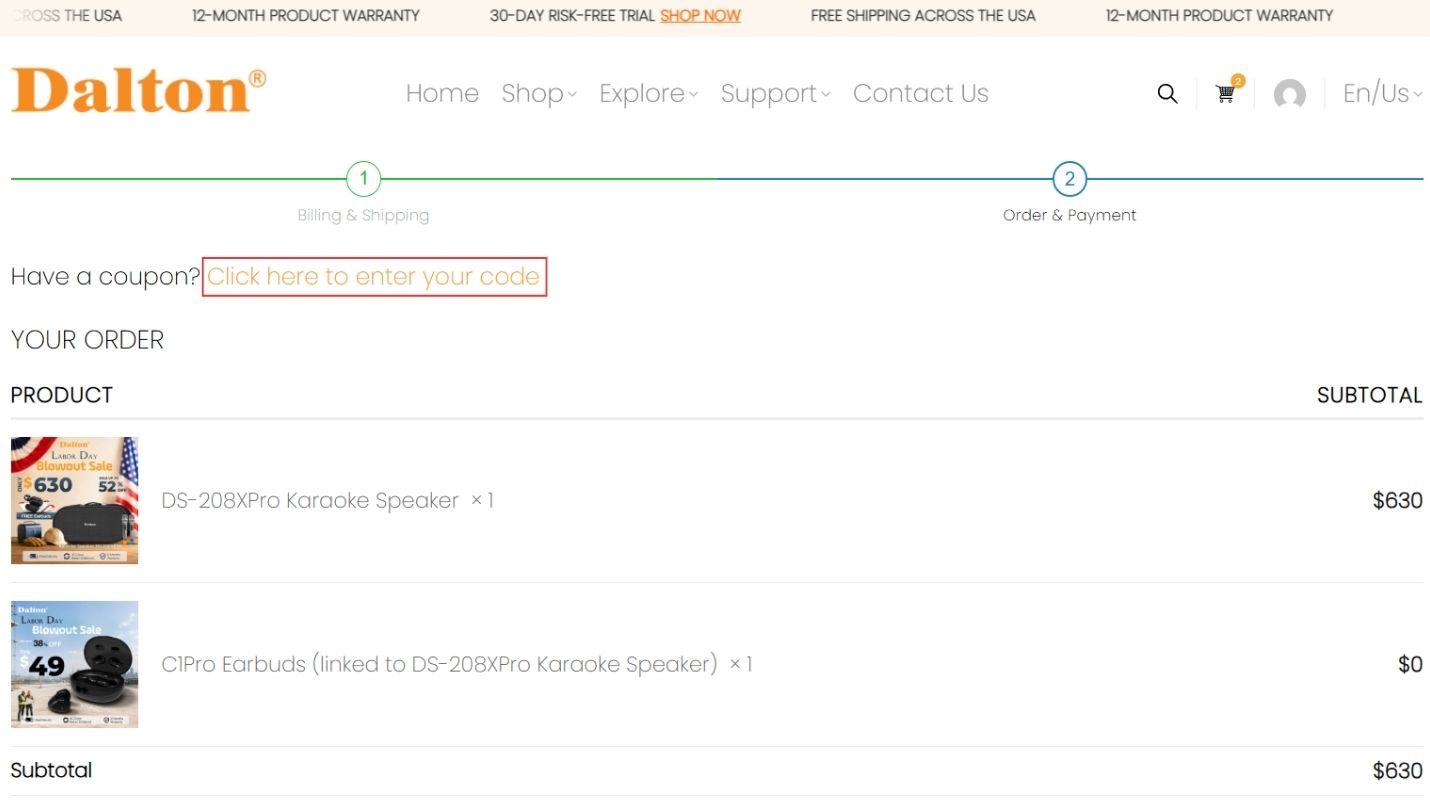
Enter the coupon code in the coupon box and click “Apply coupon.”
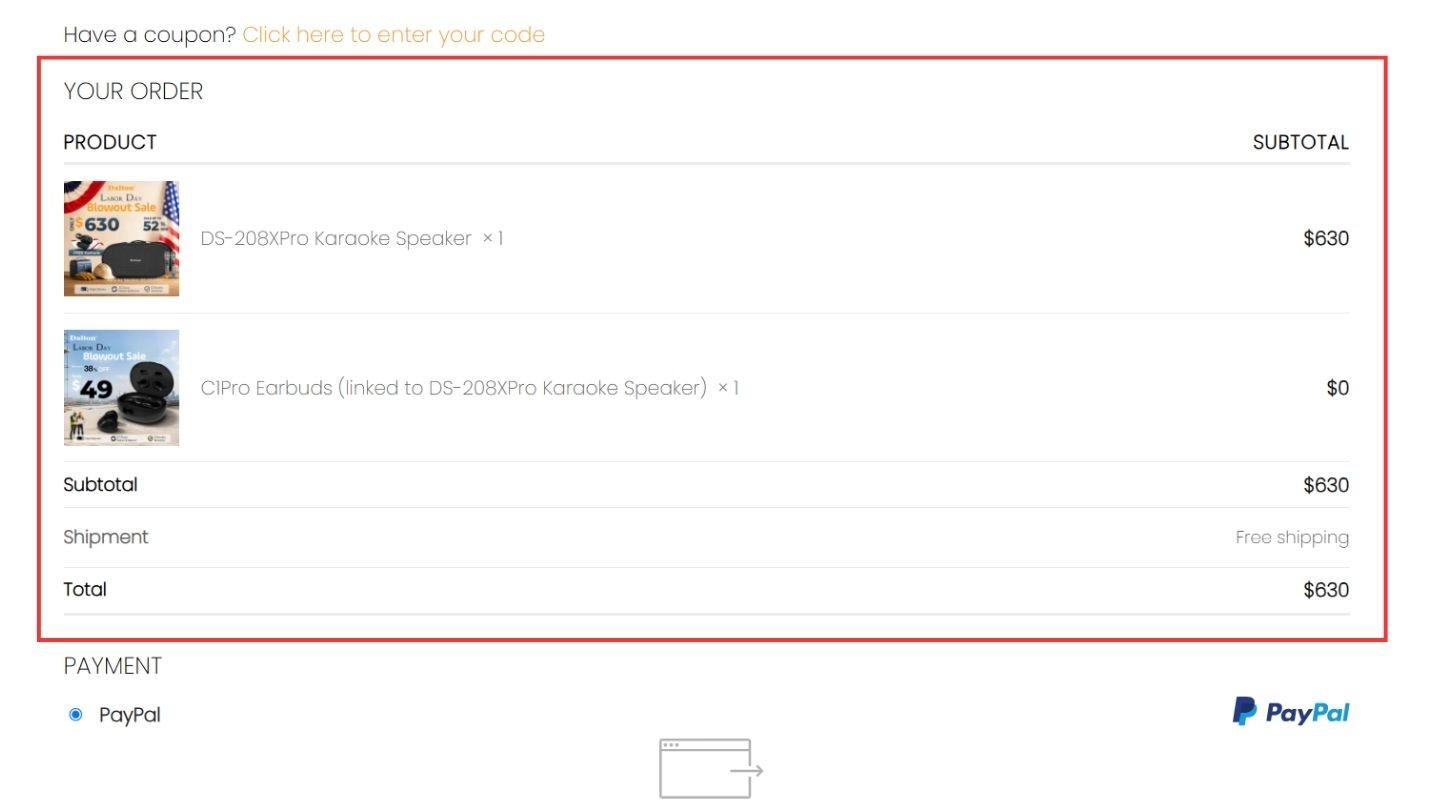
Step 6: Review Your Order
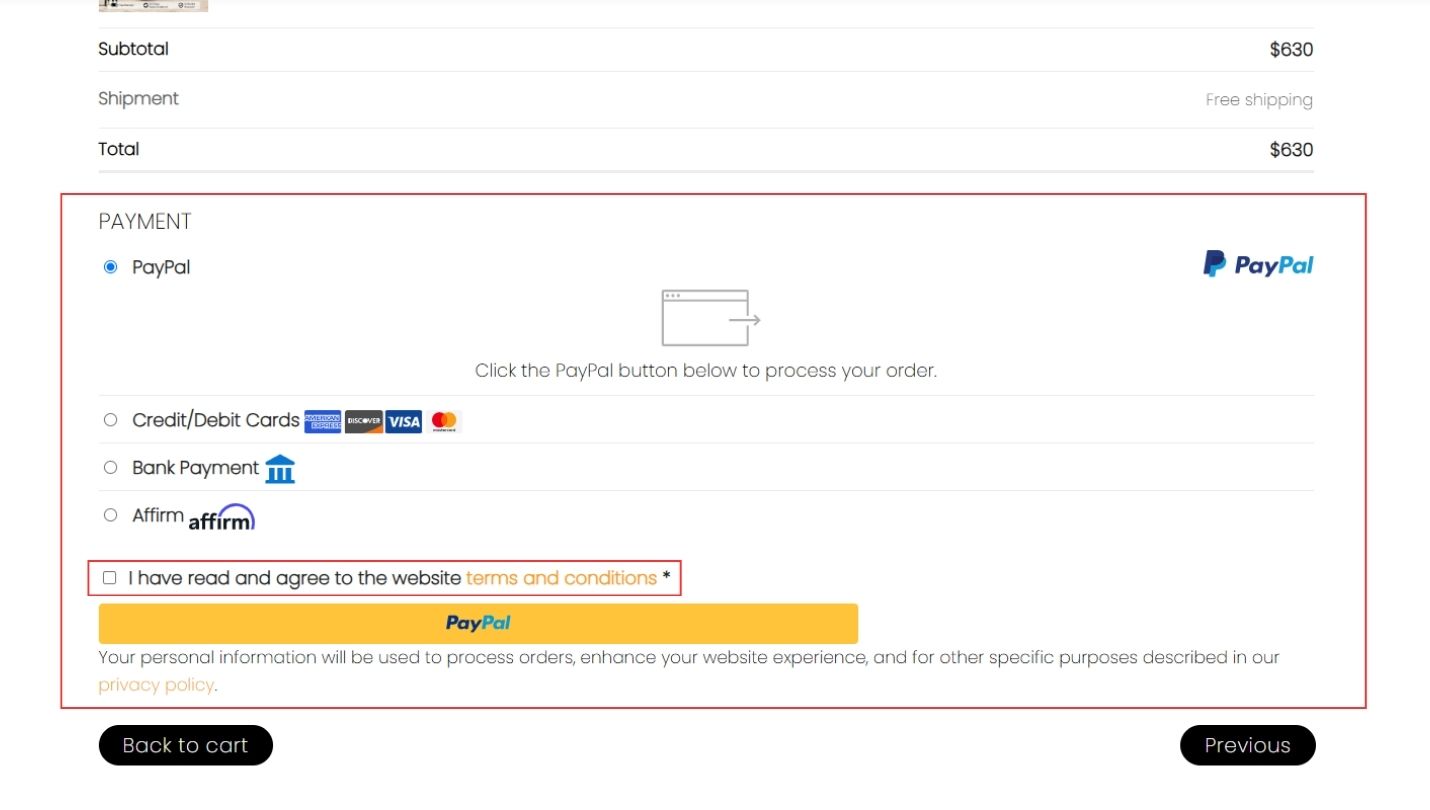
Step 7: Choose a Payment Method and Agree to the Terms and Conditions
Step 8: Place Your Order
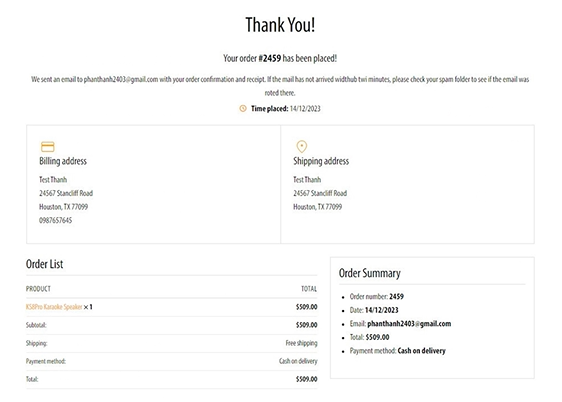
Step 9: Order Confirmation
Contact Information
For more details, please contact Dalton Audio Inc:
📍 Address: 9999 Bellaire Blvd, Suite 800, Houston, TX 77036-3579
📞 Phone: +1 (346)-534-5539
📧 Email: info@dalton-audio.com